 FIND A STATION
 STORE
STORE






 Get the app




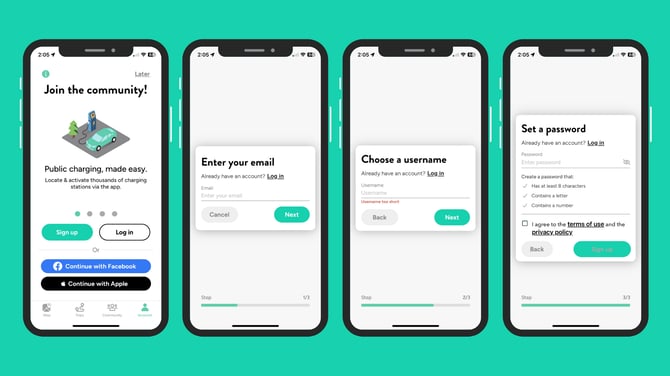
Creating a ChargeHub account lets you access public charging stations, manage your wallet, and start charging directly from the app.
- Open the ChargeHub app and tap Sign up.
- Enter your email address.
- Choose your username.
- Create a password that meets the security requirements, ✔️accept the Terms of Use, then tap Sign up.
You’re all set! Your account is now created, and you’re ready to start your first charging session with the ChargeHub app.