Published on June 26, 2026 (Updated on June 26, 2026)

You know ChargeHub for finding a charging station, but the app does a lot more than that. Here are five features worth exploring.


1. How Do You Find a Charging Station Compatible with Your EV?

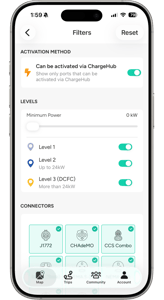
ChargeHub app filters to find a charging station compatible with your EV

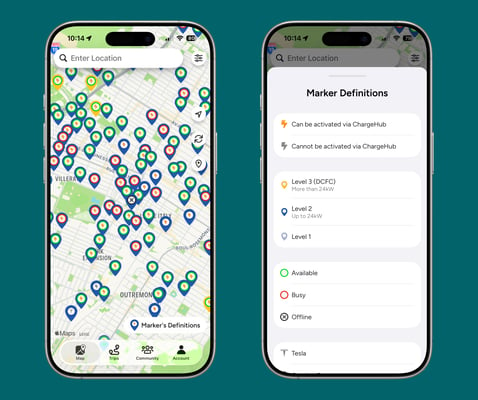
Not every charging station works with every vehicle. The app's filters let you narrow your search by charging level, connector type, network, or availability, so you only see options that actually match your car. No more surprises when you get there.

 

2. How Do You Activate and Pay for Charging Across 40+ Networks?

Activate and pay for EV charging across 40+ networks with the ChargeHub app

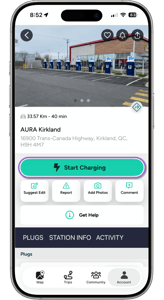
Gone are the days of creating a separate account for every charging network. With ChargeHub, you can activate and pay for charging at over 160,000 stations across 40+ networks, all from a single app.


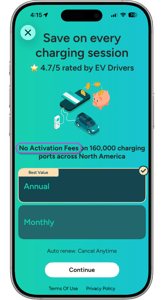
ChargeHub Plus membership eliminating EV charging activation fees

Did You Know ChargeHub Plus Eliminates Activation Fees?

Most charging networks charge an activation fee for every session. With a ChargeHub Plus membership, those fees disappear. You get access to charging with no activation fees at major partner networks, real savings that add up with every charge.


3. How Does the ChargeHub Community Improve Your Charging Experience?

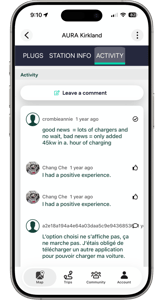
ChargeHub community sharing real-time reviews of EV charging stations

Behind every station on the map, thousands of EV drivers are sharing real-time feedback. From the app, you can check reviews left by other users on a station's reliability, cleanliness, and accessibility before you even head there.

Find a station that's out of service? Report it directly in the app to alert the community and save others the same detour. The more active the community, the more reliable the map is for everyone.


4. How Do You Easily Find Your Favourite Charging Stations Again?

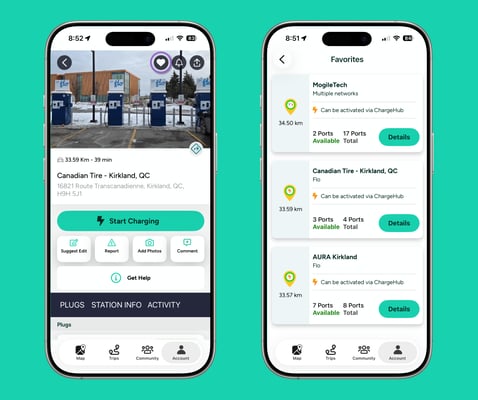
Favourite EV charging stations saved in the ChargeHub app

The Favourites feature lets you save the stations you use regularly and pull them up in one tap. "Because finding a charger in an underground garage or a poorly marked lot isn't always easy, the app also shows photos added by the community.

5. How Do You Know If a Charging Station Is Available Before You Arrive?

Real-time charging station availability shown by colour code in ChargeHub

Finding a compatible station is one thing. Knowing it's free before you get there is what prevents the wasted detour. The ChargeHub map shows real-time availability for every charging port, occupied, available, or out of service. One quick look is all it takes to pick the most strategic stop, whether you're in the city or on the road.

ChargeHub: More Than Just a Charging Station Finder

Whether you're planning a road trip or just running errands, ChargeHub brings together smart filters, multi-network payments, community reviews, and saved favourites in one complete app.

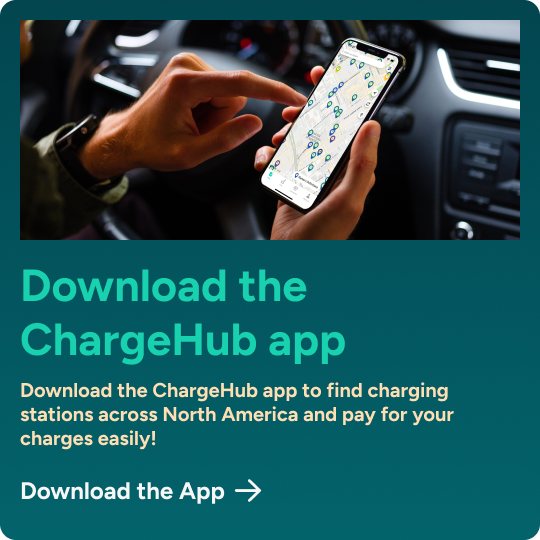
Haven't downloaded the app yet?

Frequently Asked Questions

Do the app's filters work with all types of electric vehicles?

Yes. ChargeHub filters cover all connector types, charging levels, and networks available in North America.

Do I need to create an account for every charging network?

No. With ChargeHub, you activate and pay for charging across more than 40 networks from a single app using a single payment method. No more managing multiple accounts.

How much can I save with ChargeHub Plus?

It depends on how often you charge publicly and which networks you use. The more you charge, the more you save on activation fees. Visit the ChargeHub Plus page to see how much you could save.

Is the charging station availability shown in the app reliable?

ChargeHub displays real-time availability transmitted directly by partner networks. Community reports, such as out-of-service stations, complement that information to keep the map current.

Who can leave reviews and add photos in the app?

All ChargeHub users can view reviews, leave comments, report an out-of-service station, and add location photos. The more active the community, the more reliable and useful the map is for everyone.