ChargeHub Photo Campaign

Rules & How-to Guide

Terms and Conditions

No purchase required. Participants must be Canadian or American residents, who have reached the age of majority in their state, province or territory of residence at the the time they submit photos. To be eligible for charging credits, valid photos must be uploaded via our ChargeHub app. By entering, you agree to abide by the campaign terms

Access 120,000+ stations with no activation fees.

Become a member and charge without activation fees.

How to Participate in the Campaign

1) Download the ChargeHub App

Find ChargeHub on the App Store (iOS) or Google Play (Android) and install it on your smartphone.


2) Create Your Account or Log In

How to Create an Elligible Account on ChargeHub:

  1. Open the app. You will see an option to log in or sign up. Click on "Sign Up".
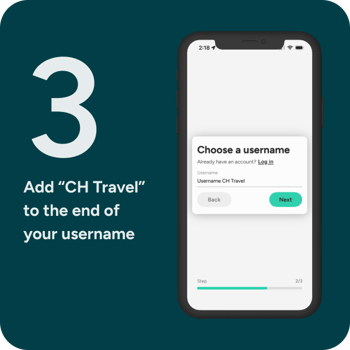
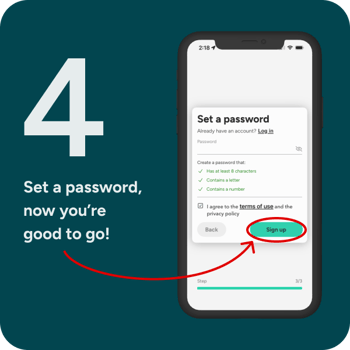
  2. You will need to provide information such as your email, a username, and create a password. Make sure to add "CH Travel" at the end of your username.
    1. For example, you could register as ''Arnold CH Travel''.
  3. After clicking next and entering your information, click on the "Sign up" button. A confirmation email will then be sent to you.
  4. Confirm your profile by clicking on the link sent to you via email.
  5. Once you have verified your email, you can log in to your ChargeHub account and start using it to add photos.

Photo-contest-create-account-1
Photo-contest-create-account-2
Photo-contest-create-account-3
Photo-contest-create-account-4

exclamation-triangle Already have an account? Make sure to add "CH Travel" at the end of your username.
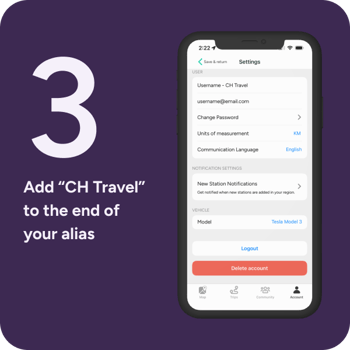

How to Change Your Username If You Already Have an Account

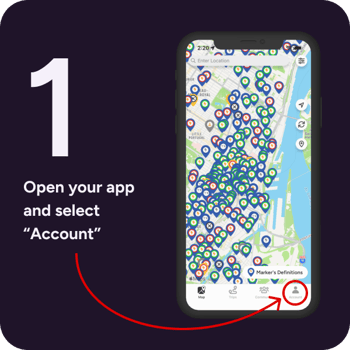
  1. Open the app and select "Account"
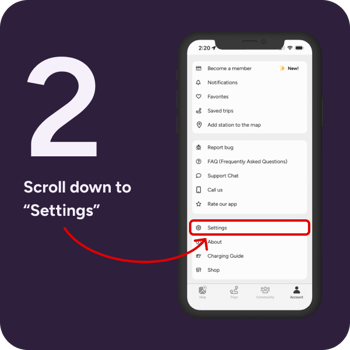
  2. Scroll down to "Settings"
  3. Add "CH Travel" to your alias
  4. If you are on iOS: return to the main menu; if you are on Android, click on "Save"
Photo-contest-login-1
Photo-contest-login-2
Photo-contest-login-3
Photo-contest-login-4


3) Find and take a photo of an Eligible Charging Site

Identify the eligible charging sites, namely those without photos. The prizes will be $1 for eligible photos of Level 2 charging sites and $5 for Level 3 sites.

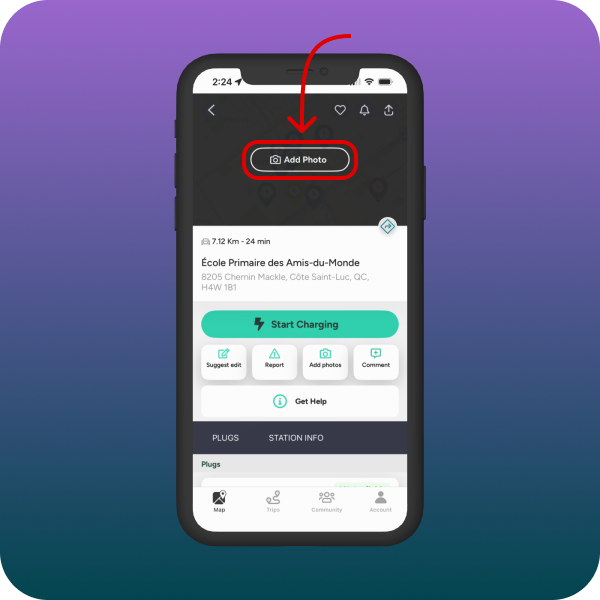
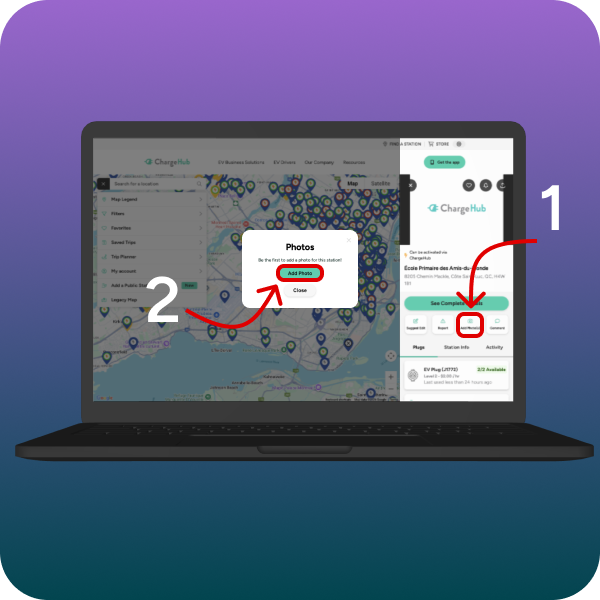
Make sure to meet the eligibility criteria outlined in the "Eligible Photos" section. Charging stations without a photo display "Add Photo" in the app and a camera icon on the ChargeHub website.

Photo-contest-submit-photo-mobile-1
Photo-contest-submit-photo-desktop
 

It's also possible to locate sites without photos on the map using the ChargeHub website.

4) Submit a Picture and Earn Free Charging Credits

  1. Open the Chargehub app.
  2. Go to the detail page of a charging station.
  3. Press the "Select a photo from" button.
  4. You now have two options:
    1. Take a photo and submit it directly.
    2. Download an image from your library.
Photo-contest-submit-photo-video

exclamation-triangle Make sure that the photos are original and not duplicated or reused from other sources
- Include only high-quality photos that are original and do not infringe on anyone else's copyright.
- Note that all added photos will be subject to review by a quality assurance team and AI software that will check their authenticity.

Receive Your Free Charging Credits

For the duration of the campaign, participants who submit eligible photos will receive free charging credits which will be added to their account in the ChargeHub app:

  • $5 charging credit for a picture from a level three charging site (L3)
  • $1 in charging credit for a picture from a level two charging site (L2)

Refer to the 'Eligible Photos' section to ensure that your picture meets the campaign criteria. 

exclamation-triangle A user can submit as many photos as they wish and can expect to receive charging credits within 30 business days.

Photo Requirements and Eligibility

To be eligible for rewards, your photo must meet two main criteria:

  1. The charging site must not already have an existing photo.
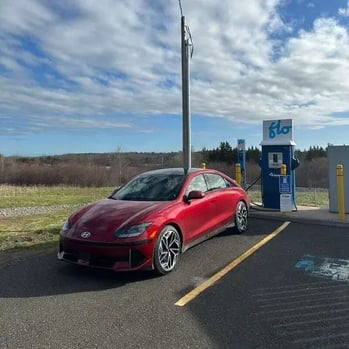
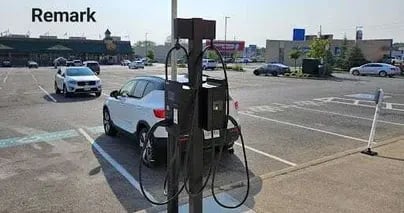
  2. The image should clearly show the station’s environment, making it easy for drivers to locate the chargers on site.

Make sure your photos are original, high-quality, and not reused from other sources. Only authentic photos taken by you can qualify for credits.


Eligible Photos Examples

Valid-ChargeHub-Photo-Submission-1Valid-ChargeHub-Photo-Submission-2

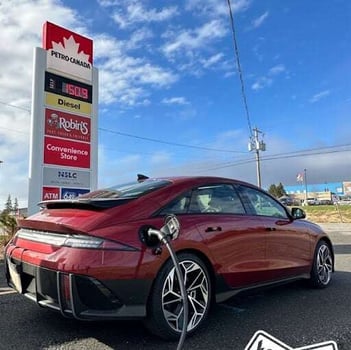
This user has taken two images, one showing the sign of the gas station, thereby making it easier to locate. The second image shows the position of the charging station in its surroundings.circle-check-solid


Valid-ChargeHub-Photo-Submission-3Valid-ChargeHub-Photo-Submission-4

Here's an example where the charging station is more difficult to spot. The user has assisted other EV drivers by circling or adding an arrow pointing towards the charging station. circle-check-solid


Valid-ChargeHub-Photo-Submission-5Valid-ChargeHub-Photo-Submission-6

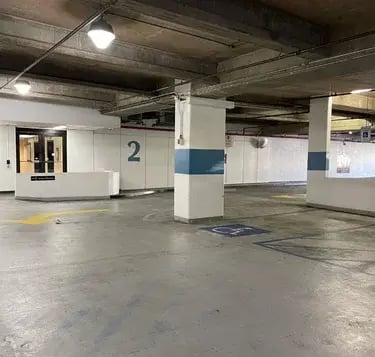
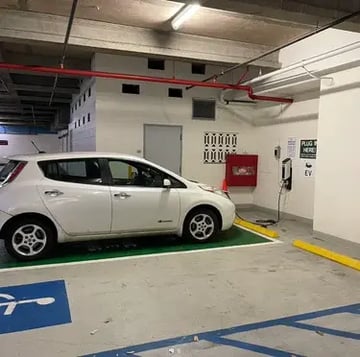
In this example, the charging station is located in a multi-level parking facility. It's always beneficial to add a photo of the level where the charging station is situated, as well as other elements that help to locate it.circle-check-solid


Photos That Don't Qualify

Invalid-ChargeHub-Photo-Submission-1Invalid-ChargeHub-Photo-Submission-2

These photo examples do not show the surrounding environment, which makes their location impossible to determine and therefore, ineligible for the campaign.
circle-xmark


Frequently Asked Questions

1. What is the ChargeHub photo campaign?


It is a limited-time campaign where EV drivers upload photos of public charging stations in Canada and the U.S. to improve station visibility in the ChargeHub app. Eligible photos earn free public charging credits deposited into the user’s ChargeHub wallet.

2. How much free charging credit can I earn per photo?

Each eligible Level 3 (DC fast) station photo earns $5 in charging credits. Each eligible Level 2 station photo earns $1 in charging credits, with no maximum number of photos.

3. What makes a photo eligible for free charging credits?

The station must not already have a photo in the ChargeHub app or on the ChargeHub website. The image must clearly show the station’s surroundings so other drivers can easily find it and must be original and relevant.

4. How do I join the photo campaign and submit my photos?

Create or edit your ChargeHub account so your username ends with “CH Travel,” then log in to the app. Open a station detail page and use the “Add photo” option to upload a new or existing photo from your device.

5. When will I receive my charging credits and who is eligible to participate?

Participants must be residents of Canada or the United States and have reached the age of majority where they live. Approved photos are typically reviewed and rewarded with credits within 30 business days.